No Code, No Problem! Could Google Opal and Lovable Make You the Next AI App Creator?


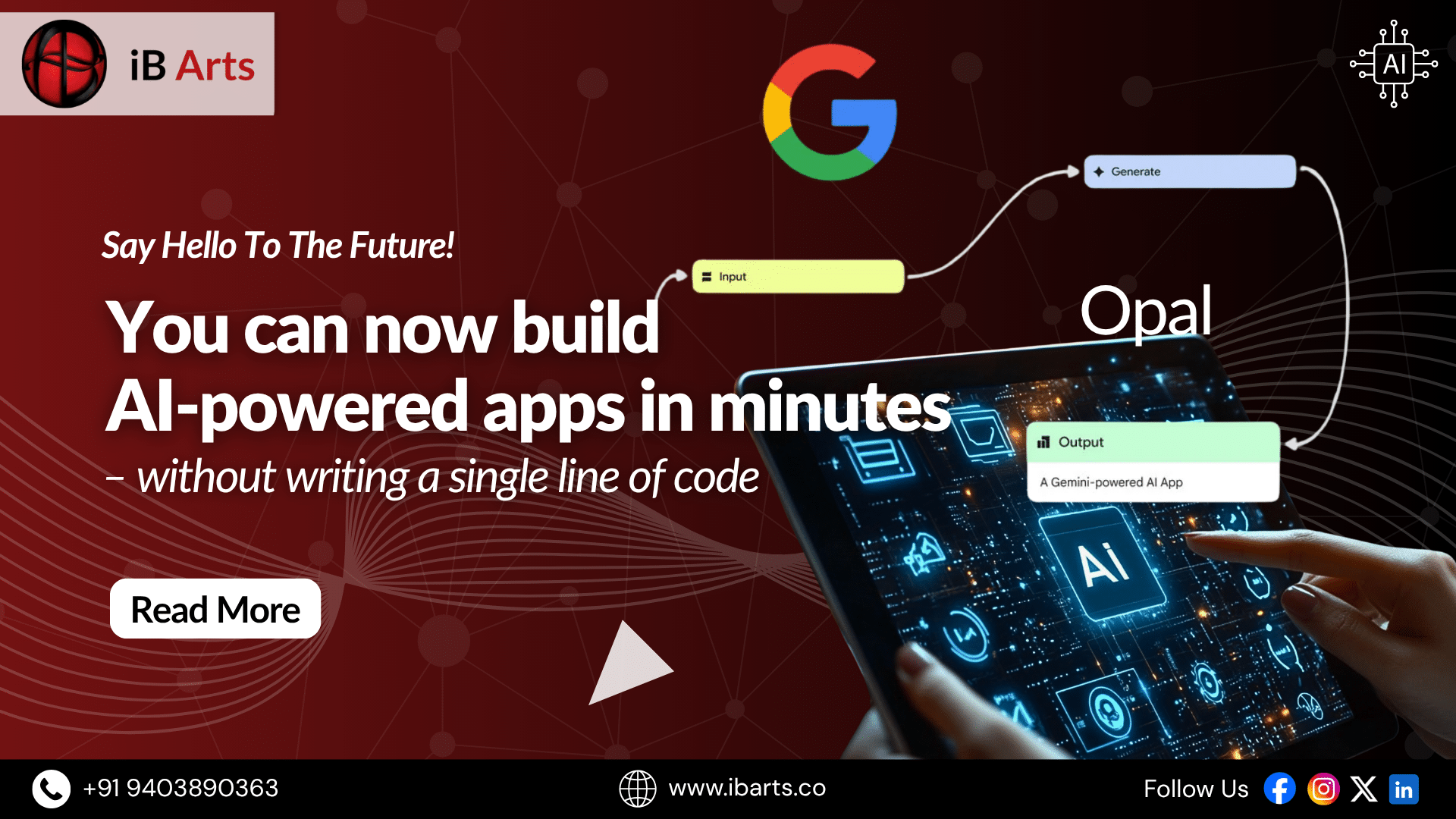
Imagine being able to build your own AI-powered app in just minutes — without needing to write a single line of code. Usually, creating apps means you have to know programming, spend lots of time learning complex skills, or hire expensive developers. That can be frustrating if you’re a beginner, a small business owner, or just someone curious about AI.
But what if there was a free tool that makes building AI apps simple and accessible to everyone? Meet Google Opal — an innovative no-code AI app builder that lets you bring your ideas to life using natural language and easy drag-and-drop workflows. In this blog, we’ll explore what Google Opal is all about, how it works, and why it’s changing the game for creators everywhere.
Just as AI is transforming industries from digital marketing to content creation, no-code AI app builders like Google Opal are empowering everyone to build their own AI-powered tools without technical barriers.
Table Of Contents
| Introduction: The Future of AI App Building Is Here |
| What is Google Opal? A Simple Overview |
| Key Features That Make Google Opal Stand Out |
| Real-Life Examples: Google Opal in Action |
| Benefits and Limitations: The Honest Truth |
| How to Get Started with Google Opal: A Quick Start Guide |
| Final Thoughts and Future Outlook |
| Engagement and Community: Join the Conversation |
| Frequently Asked Questions (FAQ) |
| Bring Your Ideas to Life with iB Arts & Google Opal |
| Engagement and Community: Join the Conversation |
1. Introduction: The Future of AI App Building Is Here
Building on that promise, Google Opal makes it possible to create sophisticated AI-powered apps—like a social media post generator or a client onboarding assistant—quickly and without any technical hurdles. There’s no need for coding or complicated setups; just bring your ideas, and Opal’s intuitive platform transforms them into fully functional applications.
This powerful tool is designed specifically to empower non-technical creators, small business owners, and AI enthusiasts with easy access to advanced AI capabilities. Throughout this blog, you’ll learn how Google Opal works, explore its key features, see inspiring real-world examples, and get a step-by-step guide to launching your own AI app.
2. What is Google Opal? A Simple Overview
Think of Google Opal as Canva for AI-powered apps. Just like Canva democratized graphic design for beginners, Opal democratizes AI app creation by combining:
- Natural language commands: Describe your app idea in plain English.
- Drag-and-drop node system: Visually design workflows without code.
- Access to multiple powerful AI models: Generate text, audio, video, and images seamlessly.
If you’ve ever wanted to create custom AI apps but felt overwhelmed by code, Opal breaks that wall with an intuitive interface and smart automation.
3. Key Features That Make Google Opal Stand Out
Google Opal packs several breakthrough features designed for ease, flexibility, and versatility:
Natural Language App Building: Speak Your Ideas
Simply type or speak your app’s function in natural language. Opal auto-generates the entire app workflow as interconnected nodes—saving you hours of manual setup.
Drag-and-Drop Node Workflow System
Each node represents a task—whether generating text, handling user input, or processing data. Insert, remove, and move nodes visually for easy customization.
Integration of Multiple AI Models for Versatility
With built-in support for Google’s advanced AI models like Gemini 2.5 Pro (text), ImageGen (images), AudioLM and Lyra (audio), and Veo (video), you can craft multi-modal applications that blend text, sound, and visuals.
Pre-Built Templates to Get Started Quickly
No need to start from scratch every time. Choose from templates like social media post creators, blog writers, or onboarding workflows. Remix templates to suit your specific needs.
4. Real-Life Examples: Google Opal in Action
Seeing is believing. Here are some mini case studies based on demo apps shown in Google’s presentations:
Social Media Post Generator
Input a website URL, and the app generates smart captions, trending hashtags, and AI-created images for posts—automating your content creation workflow.
Client Onboarding App
Collect client info via an interactive form, then generate personalized onboarding materials and welcome flows—all within a custom AI-driven experience.
Blog Writer App
Automatically creates blog content, video descriptions, and even front-end UI elements just from simple text prompts.
These examples showcase how Google Opal’s flexible nodes and AI models make complex app workflows accessible for everyone.
5. Benefits and Limitations: The Honest Truth
Benefits
- Extremely low barrier to entry: No coding needed.
- Powerful AI models under one roof: Text, images, audio, and video.
- Free with Google account: Perfect for startups and hobbyists.
- Rapid prototyping: Build and share apps fast.
- Community and templates: Learn from others and remix projects.
Limitations
- Currently in public beta and US only: Global access will come later.
- No code export: Apps are shared as links, limiting deep customization or integration.
- Dependency on Google ecosystem: Potential risks if the service changes or is discontinued.
Being transparent about these limitations builds trust and sets realistic expectations. Free tools like Google Opal raise the same questions we’ve seen in AI discussions — if a zero-cost option can deliver strong results, are expensive AI solutions becoming obsolete?
6. How to Get Started with Google Opal: A Quick Start Guide
Ready to build your own AI app? Follow these simple steps:
- Sign In with a Google Account
Access Google Opal’s beta by signing in through Google. - Choose a Template or Start Fresh
Pick from pre-built templates or create a brand-new project. - Customize Nodes and AI Models
Drag and drop nodes, tailor prompts, and assign AI models to each task. - Share Your AI App with Others
Generate shareable links for easy distribution—no need for users to install anything.
This hands-on approach ensures you’re ready to experiment immediately.
7. Final Thoughts and Future Outlook
Google Opal represents a giant leap forward in no-code AI app builders, making AI-powered creativity accessible to all. Its ability to combine natural language, visual workflows, and multi-modal AI models could transform many industries—from content marketing and education to customer service and software prototyping.
As the public beta expands beyond the US and Google adds new features, Opal promises to become a mainstay in AI app development.
The rise of platforms like Google Opal echoes the competitive energy seen in the broader AI landscape, where emerging tools are challenging established giants in creativity and usability — much like the ongoing debates around DeepSeek AI and ChatGPT.
8. Frequently Asked Questions (FAQ)
Opal auto-generates workflows from natural language, whereas many no-code builders require manual drag-and-drop wiring. This makes it faster and easier to use.
Models like Gemini 2.5 Pro (text), ImageGen (images), AudioLM (audio), Lyra (audio), and Veo (video) can be combined in workflows so tasks run smoothly and outputs blend seamlessly.
The current beta is US-only, limiting immediate global use. Wider availability is expected, but this may slow early international adoption.
Opal’s natural language input means beginners don’t need to manually build workflows node-by-node, reducing technical friction.
Yes, reliance on Google means projects live within Opal’s platform. If discontinued or changed, apps might be affected, so consider this for critical projects.
9. Bring Your Ideas to Life with iB Arts & Google Opal
At iB Arts, we believe creativity should never be limited by code. With powerful tools like Google Opal’s AI app builder, we help you transform your vision into fully functional mobile or web apps—quickly, affordably, and without the tech headaches. Whether you need an AI-powered portfolio, an interactive client experience, or a smart automation tool, our team ensures your app looks stunning, works seamlessly, and connects with your audience. Let’s build something extraordinary—together.
10. Engagement and Community: Join the Conversation
What’s the first AI app you’d build with Google Opal? Share your ideas in the comments!
Stay updated by following AI creator communities and Google’s newsletters.